disturb me
Absolute beginner?
Start with Part 1.
Start with Part 1.
never coded a site or built a layout before? start with our Part 1 beginner guide to learn HTML, CSS, and basic JS, then come back here to make it cursed.
what's inside Part 1:
1. what HTML, CSS, and JS do (no jargon)
2. 2-minute setup with VS Code
3. building your first website or feed
4. deploying live on Netlify Drop
5. getting your $5–$10 Hack Club grant
1. what HTML, CSS, and JS do (no jargon)
2. 2-minute setup with VS Code
3. building your first website or feed
4. deploying live on Netlify Drop
5. getting your $5–$10 Hack Club grant
How to Build a
Cursed Social
Cursed Social
a guide for teens who want to ship a deliberately silly social media clone and get a $5–$10 Hack Club grant.
Why build this?
If you're a beginner: learn real HTML, CSS & JS by building something funny without stressing about corporate perfection.
If you already know code: build something weird! mess with funny CSS math, break UI rules on purpose, and have fun.
HACK CLUB YSWSteens 13–18$5–$10 grantlearn by shipping
what even is a Cursed Social?
pick any social media site — Instagram, TikTok, Twitter, YouTube. recreate its layout in your own style, but make it funny and weird on purpose. add at least one cursed feature that makes no sense.
it shouldn't look like an accident — it should look like you planned it! like a like button that runs away from the cursor, or the whole screen flipping upside down.
"Break the rules intentionally — understand the layout first, then make it delightfully cursed."
instatwittertiktokdiscord≥1 cursed feature
Common Questions
"do I need to know HTML already?"
nope. you learn it while building. grab the basic starter files and search up anything you get stuck on.
"can I use Wix / WordPress / Canva?"
no site builders. write real HTML + CSS + JS code. reviewers check your files, but basic HTML is just simple tags like <h1> and <p>.
"how long does it take?"
a couple hours for a working site. maybe a weekend if you add extra details. track your time with Hackatime.
"what if my site looks goofy?"
that's the whole point! it's called Cursed Socials for a reason. hand-drawn or messy on purpose is encouraged.
"can I use JavaScript if I don't know it?"
yes. the cursed trick only needs 5–10 lines of code. look at our examples, see how they work, and tweak them.
"does it have to be live on the web?"
yes! drop your folder on netlify.com/drop or host on GitHub Pages/Vercel and you get a live link.
Free tools to use
VS Code
code.visualstudio.com
free code editor. write your HTML, CSS, and JS here. add the Live Server extension so your browser refreshes when you save.
Browser DevTools
press F12 in Chrome or Edge
inspect elements and test CSS live in your browser before putting it into your file.
Hackatime
search Hackatime in VS Code Extensions
tracks your coding hours automatically so you can show them when submitting.
Photopea
photopea.com
free web editor to clean up any doodles or sketches if you draw your site on paper.
Google Fonts
fonts.google.com
free fonts. good picks: Caveat, Patrick Hand, Special Elite.
Netlify Drop / Vercel
netlify.com/drop
drag and drop your folder to get a live URL in seconds.
The Rules
1
Your own design — max 5% AI
make design choices yourself. AI for quick syntax checks is fine, but do not generate the whole project with prompts.
2
Clean code structure
make sure everything runs smoothly and looks intentional, not broken by mistake.
3
Write a hardest-part note
tell us what challenged you the most and how you solved it.
$
Approved = $5–$10 grant
get real grant money sent to buy a silly product or merch.
Two ways to build
CSS FIRST (Recommended)
code the layout directly with HTML and CSS using flexbox. add a little JavaScript for the cursed behavior.
PAPER SKETCH FIRST
draw the site on paper, scan it or take a clear photo, use it as a background image, and place buttons and text over it with CSS.
Starter file structure
make a project folder with these 3 files:
my-cursed-social/
├── index.html
├── style.css
├── script.js
└── images/
open the folder in VS Code, right click index.html, and choose Open with Live Server.
basic starter html:
<!DOCTYPE html>
<html lang="en">
<head>
<meta charset="UTF-8">
<meta name="viewport" content="width=device-width, initial-scale=1.0">
<title>Cursed Social</title>
<link rel="stylesheet" href="style.css">
</head>
<body>
<h1>Cursed Feed</h1>
<p>welcome to my site</p>
<script src="script.js"></script>
</body>
</html>
Social feed layout example
simple navbar and feed layout in html:
<nav class="navbar">
<h1>CursedGram</h1>
<button id="like-btn">Like</button>
</nav>
<div class="layout">
<main class="feed">
<div class="post">
<img src="images/post1.jpg">
<p>normal post</p>
</div>
</main>
<aside class="sidebar">
<h3>Suggested</h3>
<p>@cursed_user</p>
</aside>
</div>
two-column css layout:
* {
margin: 0;
padding: 0;
box-sizing: border-box;
}
.navbar {
background: #483b8a;
color: white;
padding: 12px 20px;
display: flex;
justify-content: space-between;
}
.layout {
display: flex;
gap: 20px;
padding: 20px;
max-width: 900px;
margin: 0 auto;
}
.feed { flex: 2; }
.sidebar { flex: 1; }
.post {
border: 2px solid #c4b5fd;
padding: 12px;
margin-bottom: 16px;
}
.post img { width: 100%; }
Interactive Demo: The Runaway Button
HOW IT WILL LOOK!try hovering the like button!

@cursed_cat
2 mins ago · Hey could you like my post?
just a normal photo of my cat. nothing suspicious here. click like!
How it works — can you make something unique by combining this code?
1. button gets absolute positioning so it can teleport
.like-btn {
position: absolute;
transition: left 0.12s, top 0.12s;
}
2. randomize its coordinates whenever hovered
const btn = document.getElementById('run-btn');
btn.addEventListener('mouseenter', () => {
btn.style.left = Math.random() * 200 + 'px';
btn.style.top = Math.random() * 120 + 'px';
});
test it on the left! don't just stop here — what if dodging plays a sound, flips the card, or shrinks the button each time?
#cursed-lesson-1: Gravity Text (Physics in 60 Lines)
#CURSED-LESSON-1 LIVE DEMOwatch text fall with physics!

@orpheus_physics
Newton entered the chat · 1 sec ago
Gravity Text Experiment
Stop scrolling and gravity takes over. All letters start dropping like autumn leaves.
Powered by requestAnimationFrame and 60 lines of vanilla JavaScript.
How it works — real JS physics by building something silly
1. pick elements to fall with querySelectorAll
var items = document.querySelectorAll('h1, h2, p');
2. 60fps physics loop with requestAnimationFrame
function animate() {
d.speed += d.accel;
d.y = Math.min(d.y + d.speed, d.maxFall);
d.el.style.transform = 'translateY(' + d.y + 'px)';
if (d.y < d.maxFall) requestAnimationFrame(animate);
}
3. fake scroll-stop event using setTimeout
window.addEventListener('scroll', function() {
clearTimeout(timer);
timer = setTimeout(startGravity, 1500);
});
#cursed-lesson-1vanilla js60 linesrequestAnimationFrame
Screen Flip Trick (R-Key)
R
@upside_down
1 min ago
normal post until you flip it. press R on keyboard or click flip!
body.flipped {
transform: rotate(180deg);
transition: transform 0.6s ease;
}
window.addEventListener('keydown', (e) => {
if (e.key === 'r' || e.key === 'R') {
document.body.classList.toggle('flipped');
}
});
Negative Likes & Sound Trick
-
@like_drain
just now
10 likes
every like removes 1 like and plays a sound.
let likes = 10;
btn.addEventListener('click', () => {
likes--;
btn.textContent = 'Like (' + likes + ')';
new Audio('boing.mp3').play();
});
Drawing on paper first
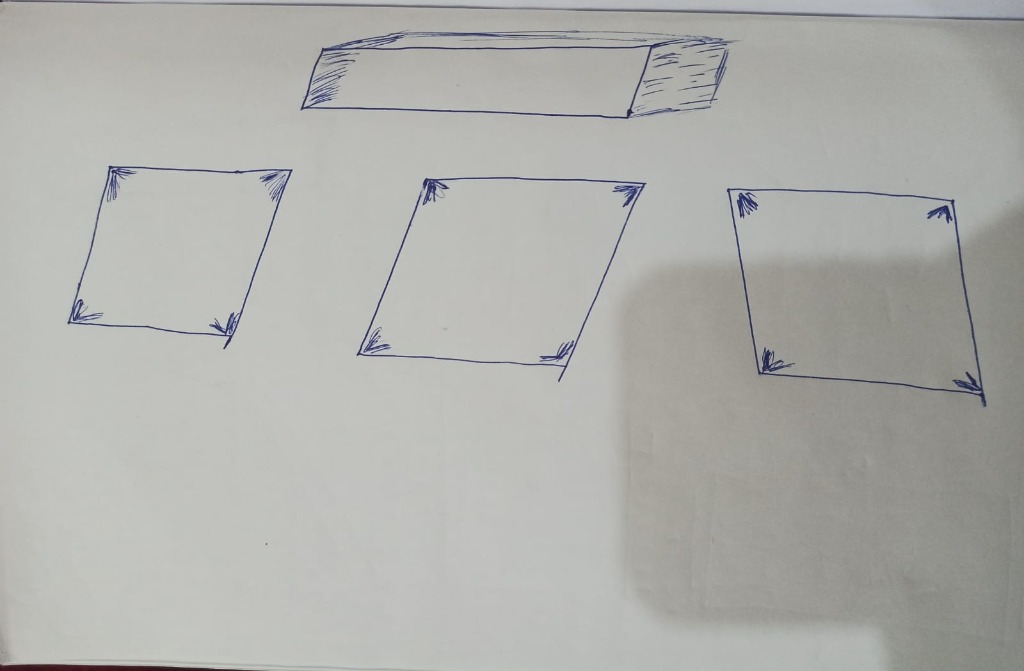
ABOUT SECTION
drawn on paper with ink, scanned, then used as background.
RAW SKETCH
→
SITE BACKGROUND

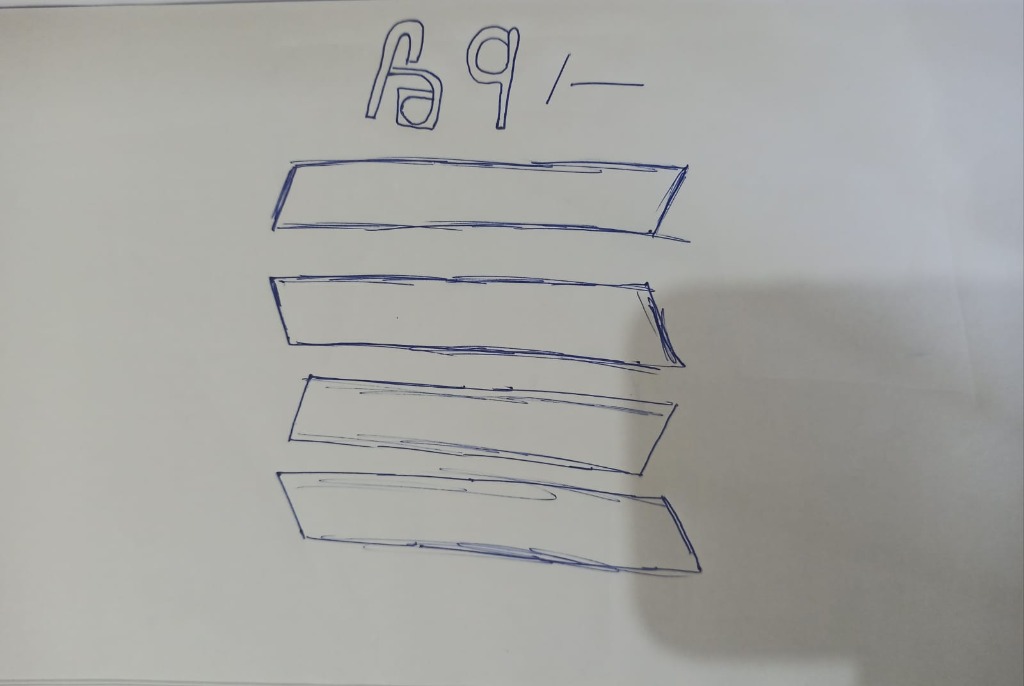
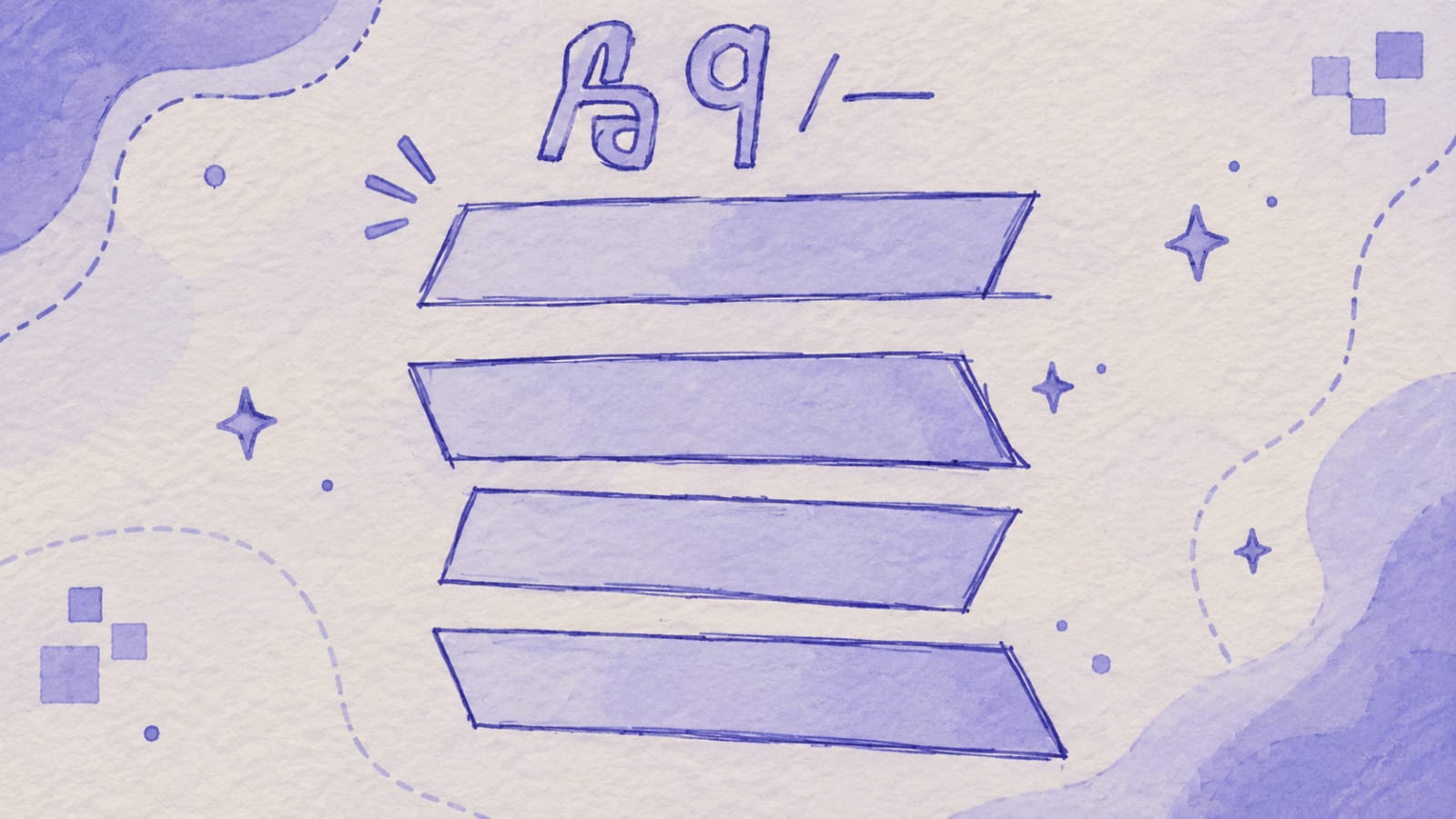
FAQ SECTION
parallelograms drawn on paper and layered behind text boxes with CSS.
RAW SKETCH
→
SITE BACKGROUND
Publishing your site
1
go to netlify.com/drop or Vercel
2
upload your project folder
3
copy your live website URL
4
fill out the RSVP/submission form with your link
CHECKLIST BEFORE SUBMITTING
☐ site opens at a public URL
☐ it is a social media clone
☐ it has at least one funny cursed feature
☐ you coded it yourself (not AI generated)
☐ you wrote your hardest part note
☐ it is a social media clone
☐ it has at least one funny cursed feature
☐ you coded it yourself (not AI generated)
☐ you wrote your hardest part note
Your turn now.
pick a platform.
code the clone in HTML + CSS.
add your cursed feature.
submit and claim your grant!
view the live site →code the clone in HTML + CSS.
add your cursed feature.
submit and claim your grant!